A solicitors’ website with an enquiry form that sorts itself
A website for Tolland & Reeve, an invented firm of solicitors in an invented English town. Visitors answer a few short questions, and each enquiry arrives sorted, flagged if urgent, with a callback already booked.
- Live
- Website
- Enquiries and callbacks
- Concept build for a fictional business
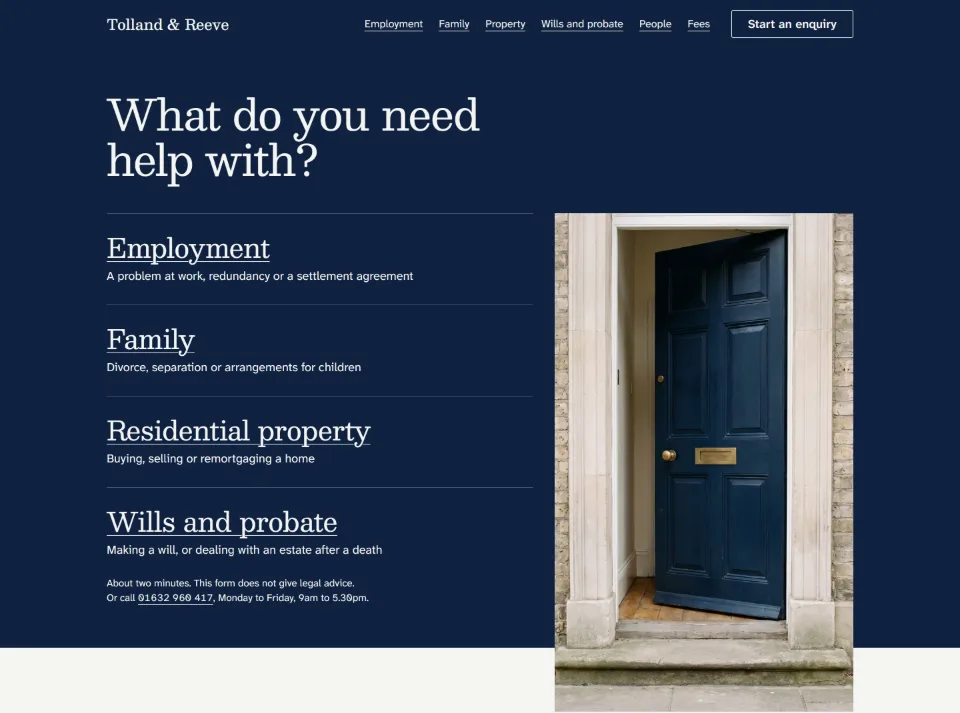
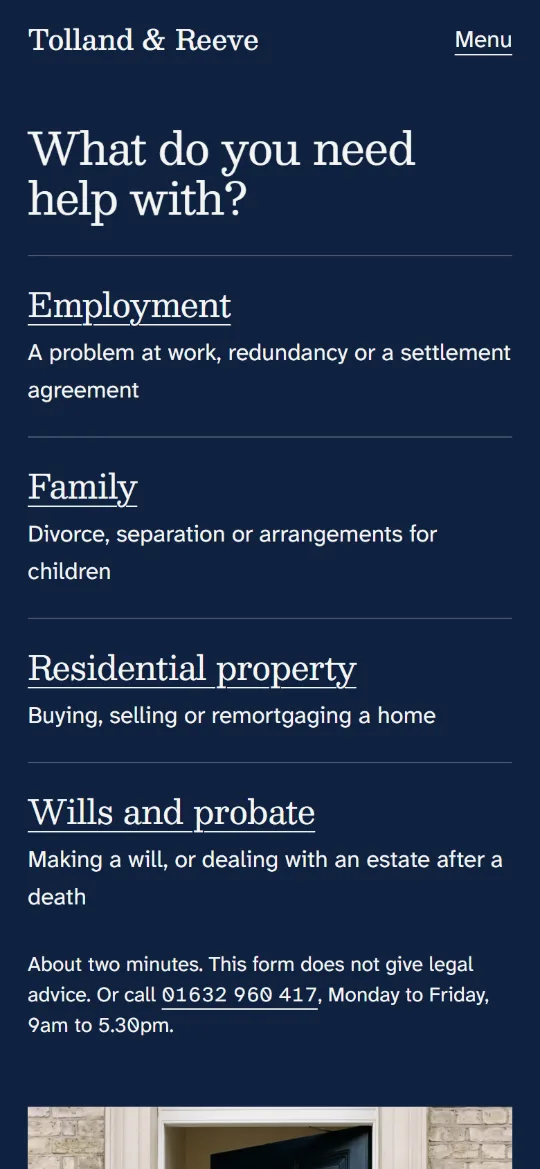
Home page · laptop and phone
- out of 100 for speed, accessibility and good practice, on Google’s Lighthouse test on a phone
- 100
- seconds for the main content to appear, with nothing jumping about as the page loads
- 0.8
- automated tests, all passing: 17 on the rules behind the form, 14 on the whole journey
- 31
- weeks to build a site like this
- 2.5–3.5
The challenge
A high-street law firm takes enquiries of every kind through one contact form and one phone line. Someone has to read each one, decide which team it belongs to, and spot the one with a court date next week.
Meanwhile the visitor has no idea who will ring them, or when, so they may try another firm too.
What I built
A website for Tolland & Reeve, an invented firm of solicitors in an invented English town, that works on phones and computers.
Every page a firm needs
A home page, four practice pages (Employment, Family, Property, Wills and probate), People, Fees, Contact, the enquiry form and a “page not found” page. Each page has its own web address, so links, the back button and refreshing all work.
Small files for phones
Its ten photographs come in several sizes, so phones download small files.
Written the British way
It’s written in British English, with dates and times written the British way: “Monday 23 November”, “5.30pm”.
No tracking
It makes no requests to anyone else’s servers and has no tracking.
How it works for visitors
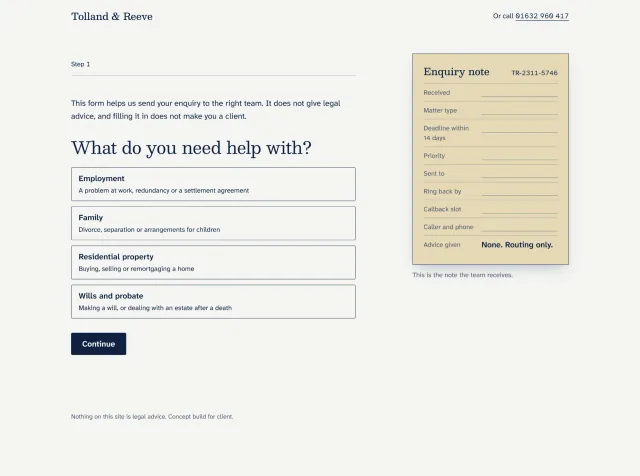
Choose what it’s about
The visitor chooses a matter type: Employment, Family, Residential property, or Wills and probate. Or they start from a practice page or the home page with it already chosen. The form says clearly, from the start, that it gives no legal advice.
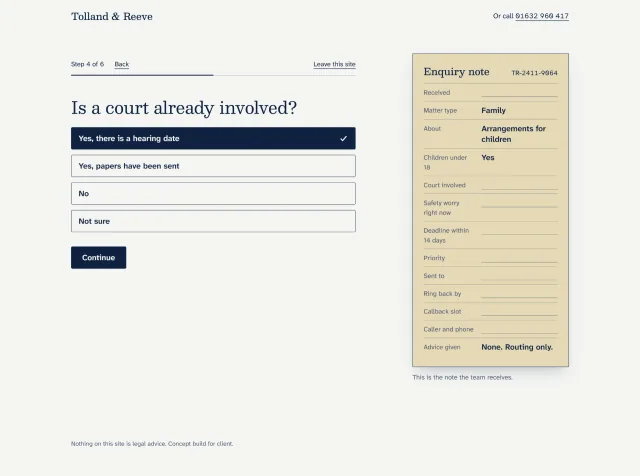
Each answer goes straight onto the note
Then three or four short questions for that type. Each answer appears at once as a line on the firm’s intake note beside the form, so the visitor can see exactly what the firm will read. Every step is checked, with a plain message saying what is missing and how to fix it, and the answers survive a page refresh.
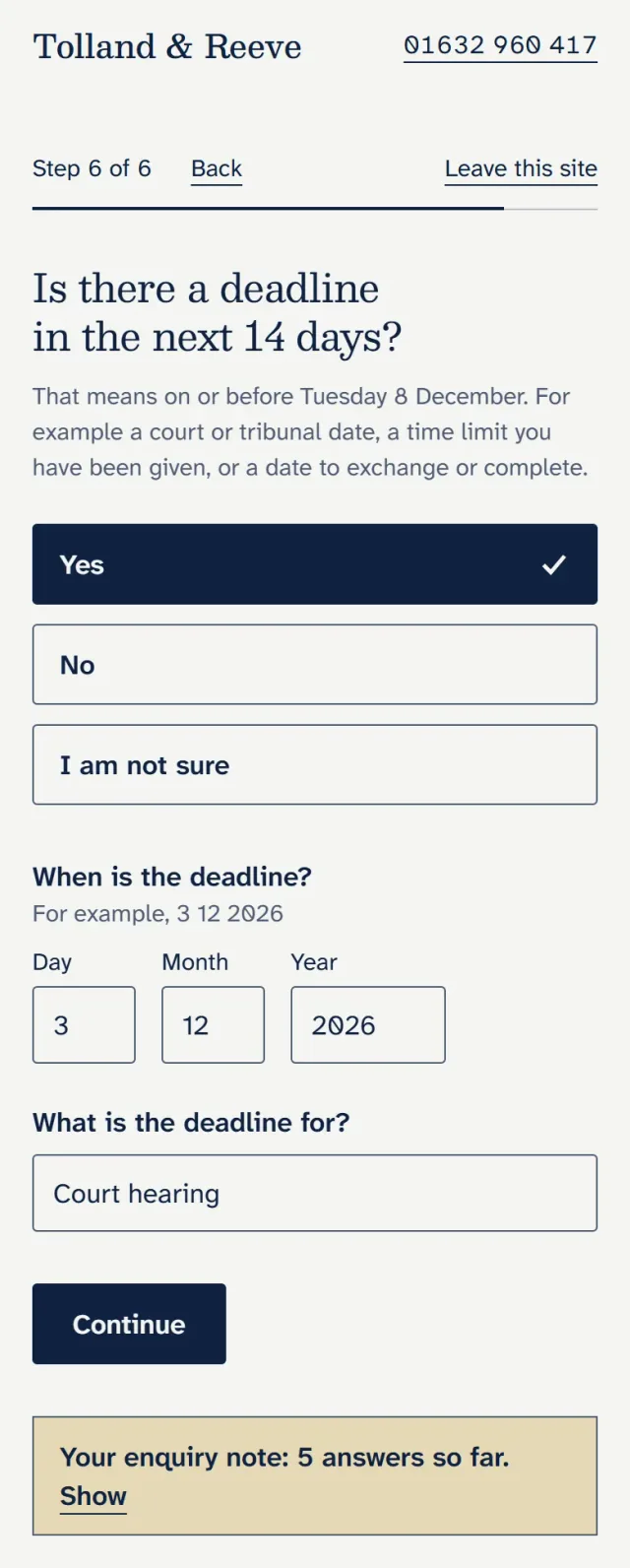
Is there a deadline?
The visitor says whether there is a deadline in the next 14 days, and if so, when and what for. A deadline, “I am not sure”, or a safety worry on a family matter marks the enquiry urgent. On the family path, a “Leave this site” button clears the enquiry and leaves the site straight away, for anyone worried about being seen.
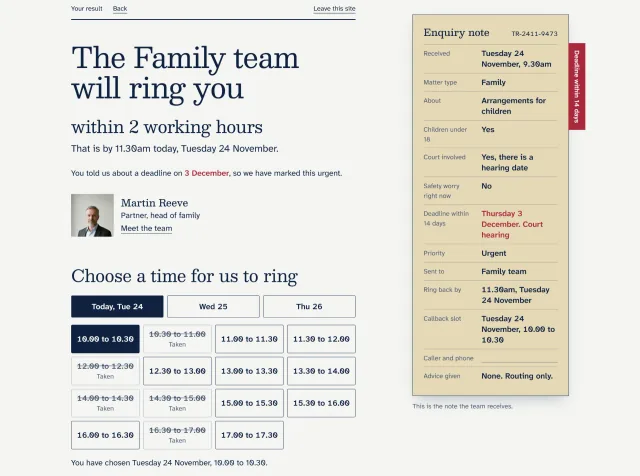
Who will ring, and when
The result names the team that will help and says when the visitor will hear back: within 2 working hours if it’s urgent, otherwise by the end of the next working day. Underneath are half-hour callback slots over the next three days. Taken slots can’t be picked.
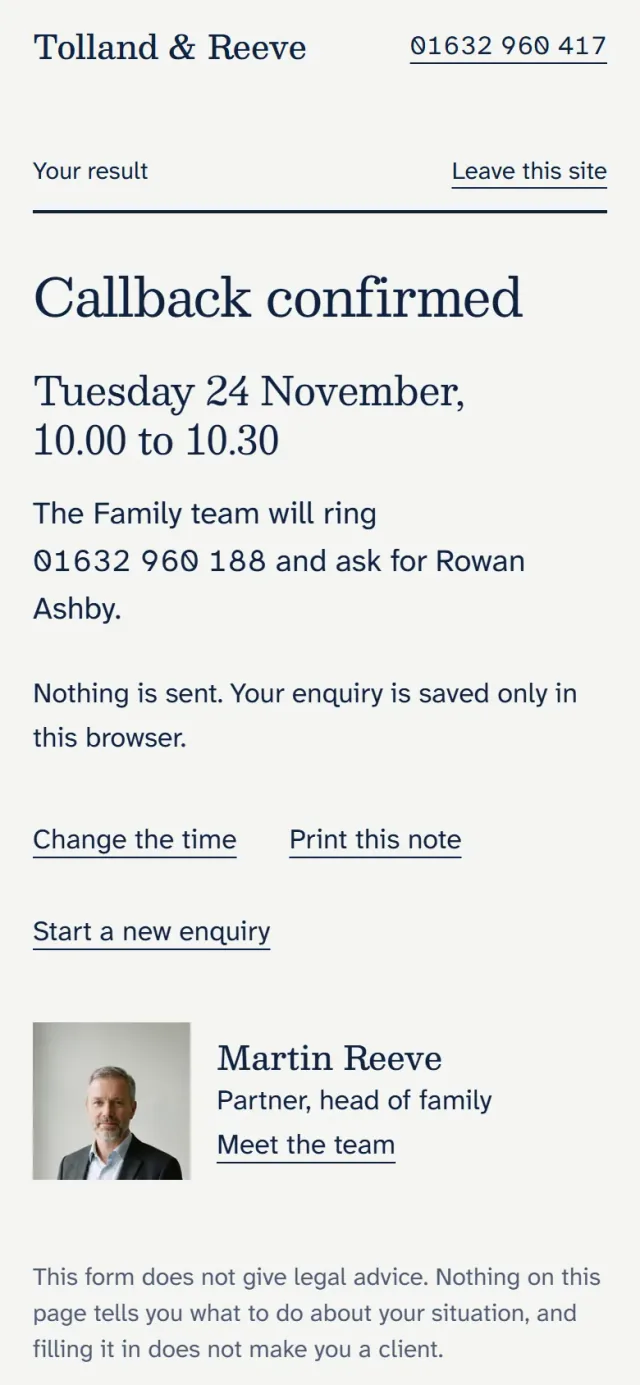
A name, a number, and the call is booked
The visitor leaves a name and phone number and confirms. They can print the note, change the time or start again, and the form says again at the end that it gives no legal advice. In this concept nothing is sent: the enquiry stays in the visitor’s own browser, and the site says so. A live version would send each enquiry to the firm’s inbox or case system.
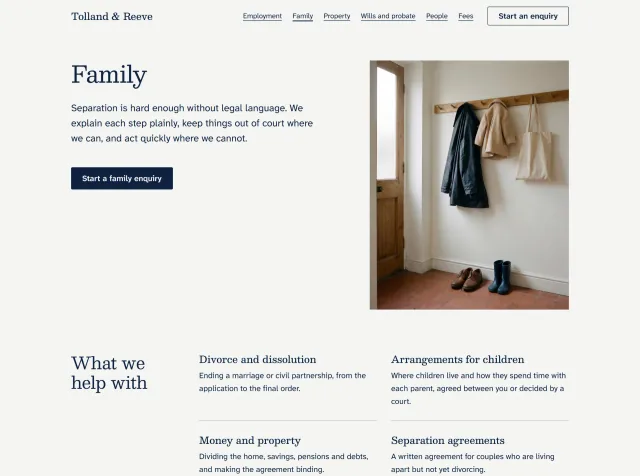
A page for each kind of work
Employment, Family, Property, and Wills and probate each have their own page: what the team helps with, what it costs and who leads it. A button starts the enquiry with that matter type already chosen.
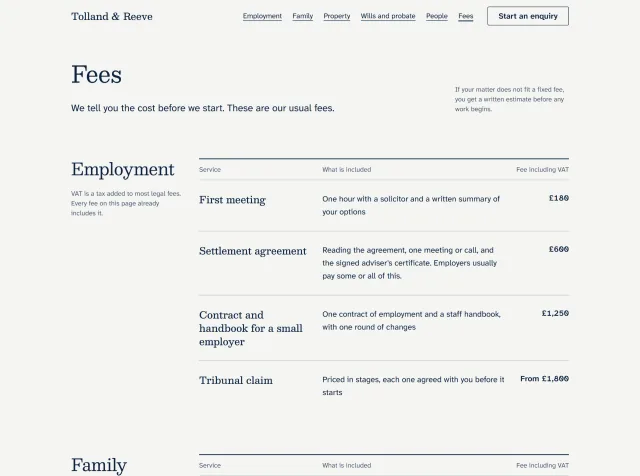
Fees, set out plainly
The Fees page lists the firm’s usual fees for each kind of work, VAT included, with a note that anything without a fixed fee gets a written estimate first.
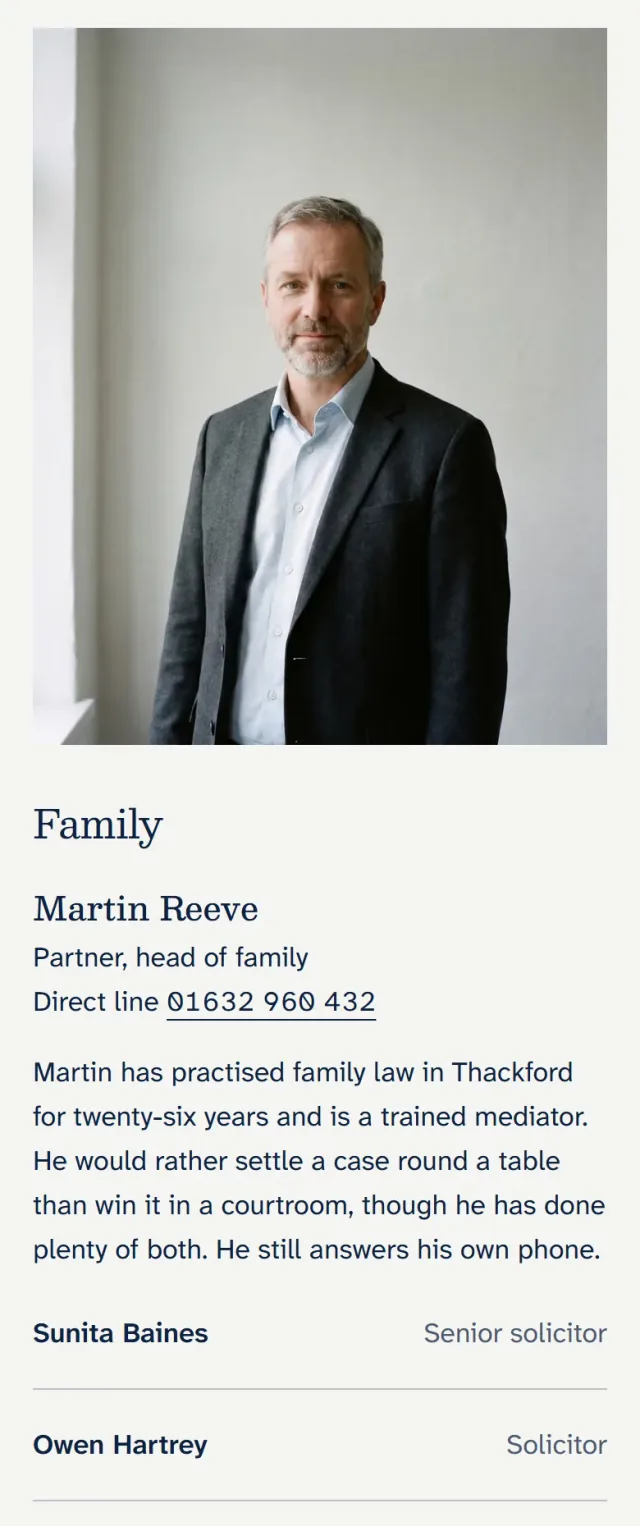
The people who will ring
Sixteen people in four teams, each led by a named solicitor with a direct line. Like the firm and its town, every name is invented.
Build quality
Checked with Google’s Lighthouse test, automated tests and three rounds of design review, at phone and desktop widths.
Google’s Lighthouse test
On a phone setting, on the home page: 100 out of 100 for speed, for accessibility (whether disabled people can use it) and for good practice. Search engines score 66 only because the concept is deliberately hidden from search results; every other search engine check passes.
Main content in 0.8 seconds
The main content appears in 0.8 seconds, and nothing jumps about as the page loads.
17 of 17 tests on the form’s rules
Dates, working hours and which enquiries count as urgent.
14 of 14 tests of the whole journey
At phone and desktop widths, in Chrome’s, Firefox’s and Safari’s engines. They cover the whole journey, every error message, using the form by keyboard alone, and a browser that refuses to save.
No accessibility faults
An automated check on every page and every enquiry step found none.
Three rounds of design review
At phone and desktop widths, with every fault found fixed.
Not yet done
Not yet tested on real phones or with a screen reader. Bank holidays are treated as working days.
Could this help your business?
Someone sorting every enquiry by hand?
With a form like this, every enquiry arrives sorted, flagged if urgent, with a callback already booked. Staff time goes on the call, not on sorting.
Losing enquiries to other firms?
The visitor knows exactly when the call will come, so has less reason to ring round other firms. And a visitor who arrives in the evening can still book a callback, instead of meaning to phone tomorrow.
What would a site like this cost?
About 2.5 to 3.5 weeks and €8,450 to €10,400: 13 to 16 working days at my day rate of €650, for a multi-page site plus one custom feature. Where it lands depends on what you need: connecting enquiries to your inbox or case system, your own words and photographs, and rounds of changes.
Want an enquiry form like this for your business?
Tell me what you need, and I’ll tell you honestly what it would take.